1
如果你熟悉 Sass 并希望用您自己的颜色和变量定制 Bulma,只需通过 npm 安装 Bulma
文档
当你使用 Bulma 创建一个网站 所需要的一切
如果你熟悉 Sass 并希望用您自己的颜色和变量定制 Bulma,只需通过 npm 安装 Bulma
1
2
设置 你的变量
创建一个名为 mystyles.scss 的文件并添加自己的颜色,设置新的字体,覆盖 Bulma 的默认样式
// 1. Import the initial variables
@import "../sass/utilities/initial-variables";
@import "../sass/utilities/functions";

// 2. Set your own initial variables
// Update blue
$blue: #72d0eb;
// Add pink and its invert
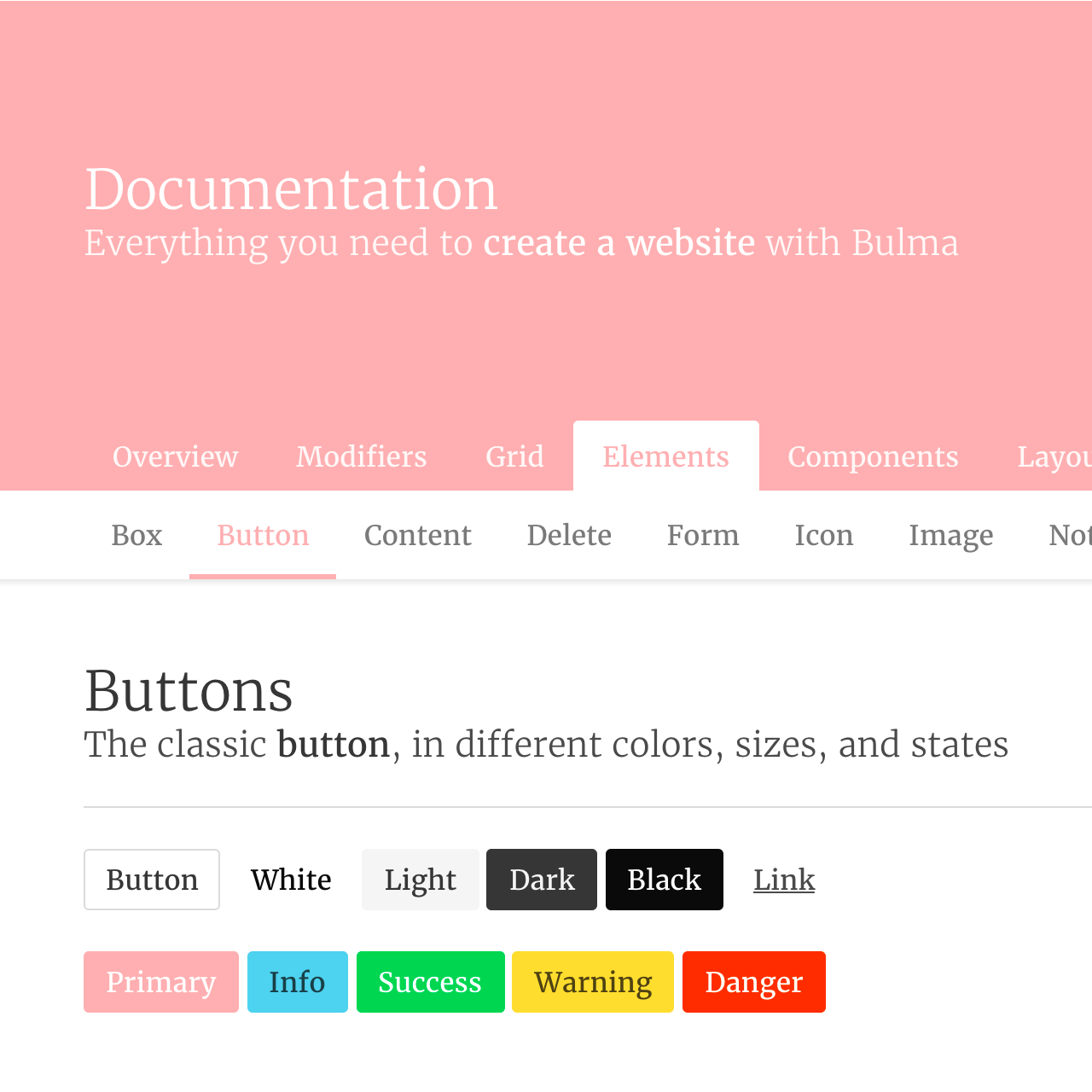
$pink: #ffb3b3;
$pink-invert: #fff;
// Add a serif family
$family-serif: "Merriweather", "Georgia", serif;

// 3. Set the derived variables
// Use the new pink as the primary color
$primary: $pink;
$primary-invert: $pink-invert;
// Use the existing orange as the danger color
$danger: $orange;
// Use the new serif family
$family-primary: $family-serif;

// 4. Setup your Custom Colors
$linkedin: #0077b5;
$linkedin-invert: findColorInvert($linkedin);
$twitter: #55acee;
$twitter-invert: findColorInvert($twitter);
$github: #333;
$github-invert: findColorInvert($github);

// 5. Add new color variables to the color map.
@import "../sass/utilities/derived-variables.sass";
$addColors: (
  "twitter":($twitter, $twitter-invert),
  "linkedin": ($linkedin, $linkedin-invert),
  "github": ($github, $github-invert)
);
$colors: map-merge($colors, $addColors);

// 6. Import the rest of Bulma
@import "../bulma";
3
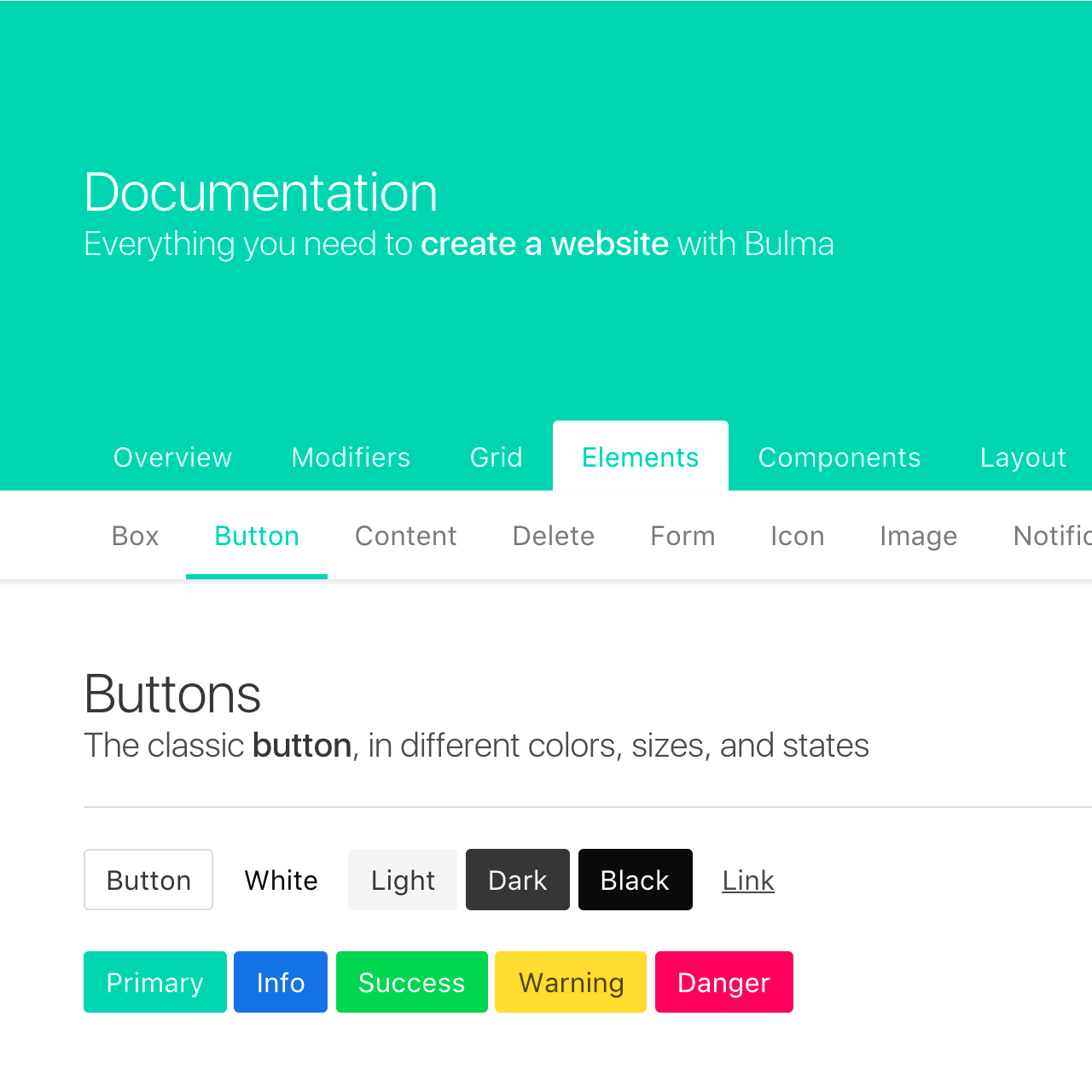
查看之前或之后的结果:
因为 $blue 已被更新,并且 $blue-invert 的值是由 函数 $blue-invert: findColorInvert($blue) 自动计算,
所以 $blue-invert 现在是黑色不是白色。

这是一个 开源项目.
错别字? Or 有疑问?
在GitHub上改进这个页面。
Bulma Partners
Check out their products!